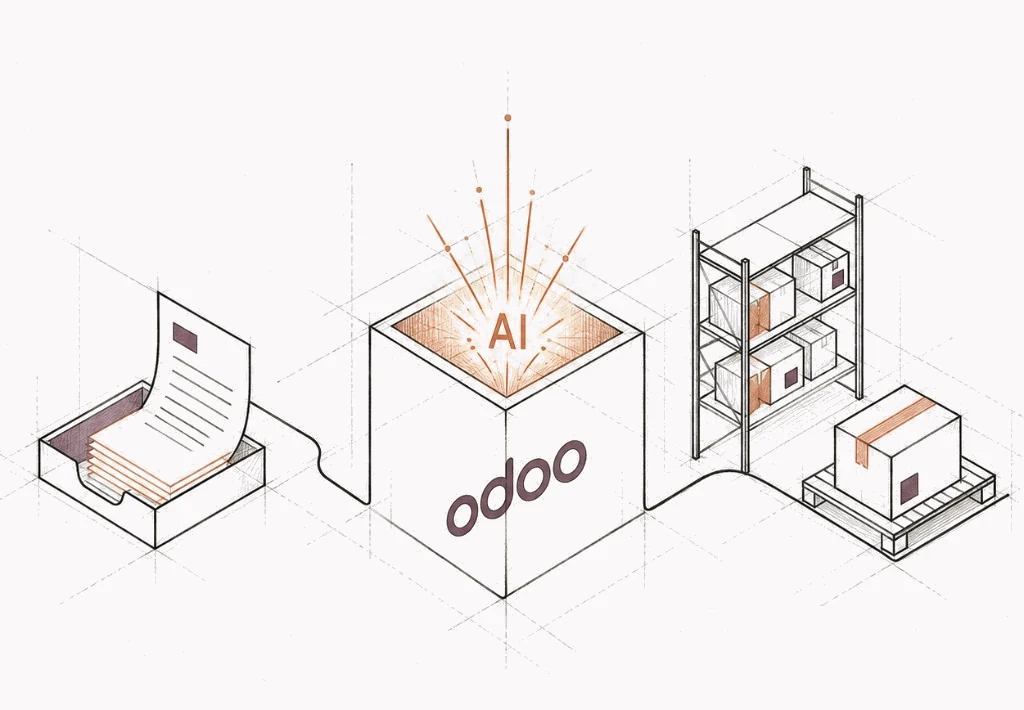
Odoo AI integration. Automate everyday ERP workflows.
We configure and build AI agents that work with your Odoo data. They prepare quotations, assist support teams and flag operational exceptions. Connect your apps, reduce repetitive work and keep approvals with your people.
We need 40 replacement units for our Lyon site. Can you confirm availability and send a quote for delivery next month?
Begin with a real business event, rather than asking people to use a separate tool.
Native features plus a workflow-specific integration
02 / Build on what you already have
Native Odoo AI or custom agents? Choose the right approach.
Odoo already has AI capabilities. The first decision is how far your existing setup can take you, not which extra platform to buy.
01
CRMSalesHelpdesk
AIInside Odoo
Configure native Odoo AI
Use supported agents, sources, fields and actions for well-defined tasks inside your database.
Fit and deliverables
Good fit. A focused use case within supported Odoo apps.
What you receive. Configured agent, curated knowledge and evaluation examples.
02
odooYour workflowRules, review, action
Extend a business workflow
Add the domain rules, approval steps and integration logic that make an assistant useful in your operation.
Fit and deliverables
Good fit. Company-specific processes, exceptions and permissions.
What you receive. A scoped extension, business-rule checks and a review path.
03
DocumentsPortalOther apps
Integration layerodoo + AI
Connect across your systems
Coordinate Odoo with external documents, portals or other business applications through a controlled integration.
Fit and deliverables
Good fit. Work that crosses system boundaries or needs a different model deployment.
What you receive. An integration map, limited access and operational monitoring.
03 / The operating model
AI prepares the work. Your business sets the rules.
A prompt is not an approval policy. The action, the permission and the exception path are designed with the answer.
01 / Context
Customer recordAccount and order history
Business recordsStock, price, delivery
Approved knowledgePolicies and working rules
02 / AI proposal
Draft quotation
Product specification Needs confirmation
Delivery date Needs review
03 / Human decisionSales owner
Checks the details. Approves the commitment.
Approve
Return for edits
04 / Start with your environment
AI integration that fits your Odoo environment.
Your Odoo version, edition, hosting and installed apps determine what can be configured, extended or connected.
Your implementation route
Configure first. Connect where supported.
Odoo Online does not support custom Python modules. Start with native configuration, and assess an external integration only after confirming the plan and API access.
Confirm available AI features and installed apps
Check Custom-plan requirements for external API access
Keep external-service ownership and data flows explicit
Odoo AI integration connects language models and AI workflows to your ERP records, documents and business processes. It can include configuring native Odoo AI, adding a domain-specific assistant, or connecting external systems. The useful outcome is a better business workflow, not simply another chat window.
Does Odoo already include AI?
Yes. Odoo includes Ask AI, configurable agents, knowledge sources, AI fields and server actions. We check your edition, installed apps and hosting before recommending what to configure and what to build.
Should we use native Odoo AI or build something custom?
Start with a fit assessment. Native configuration may be sufficient for supported summaries, source-based assistance and standard actions. Custom work becomes useful when you need organisation-specific approvals, multiple systems, specialised documents or an independently managed AI service.
Can you connect ChatGPT or another model to Odoo?
Odoo supports provider options such as OpenAI and Gemini. A different provider or a private model can require an external service or custom extension, subject to hosting, compatibility and model evaluation. We assess the deployment before promising a particular integration.
Can this work with Odoo Online, Odoo.sh or Community?
The implementation route depends on the environment. Odoo Online does not support custom Python modules. External API access on Odoo's hosted pricing plans requires the appropriate Custom plan. Odoo.sh and self-managed environments offer different extension options. Community installations require a separate review of available modules and licences.
Will our data leave Odoo?
For a cloud model, selected context is sent to its provider. The fields, documents, retention terms, region and sub-processors should be agreed before a pilot. A private deployment has different infrastructure and operating costs. It is an option to evaluate, not an automatic guarantee of compliance.
Can an AI agent change records or send messages?
An agent can act through configured tools, but we propose starting with read-only or draft-only access. Approved write operations need explicit permissions, validated inputs, business-rule checks and an activity record. Financial commitments and customer promises should have a defined human owner.
What does an Odoo AI project cost?
The main drivers are workflow complexity, integration effort, data preparation, evaluation, model consumption and ongoing support. We scope one measurable pilot first and separate implementation fees from Odoo licensing, hosting and AI provider charges.
How do we know whether the pilot worked?
Agree a baseline, representative examples and acceptance thresholds before building. Compare handling time, correction rate, accepted drafts and cost per completed task. Expand only when the workflow passes both quality and operational checks.
Make your next ERP improvement count
Make Odoo AI work for your business.
Bring us one workflow you want to improve. We'll discuss your Odoo setup, the integration options and what a measurable first pilot could look like.