

In this article
Complete Step-by-Step Guide for a Secure and Seamless Transition
Odoo is one of the most flexible ERP platforms available today. Whether you are a startup, SME, or large enterprise, Odoo offers multiple hosting options to match your operational, technical, and budget requirements.
Businesses typically choose between:
- Odoo Enterprise Edition for advanced features and official support
- Odoo Community Edition for cost-effective and fully open-source flexibility
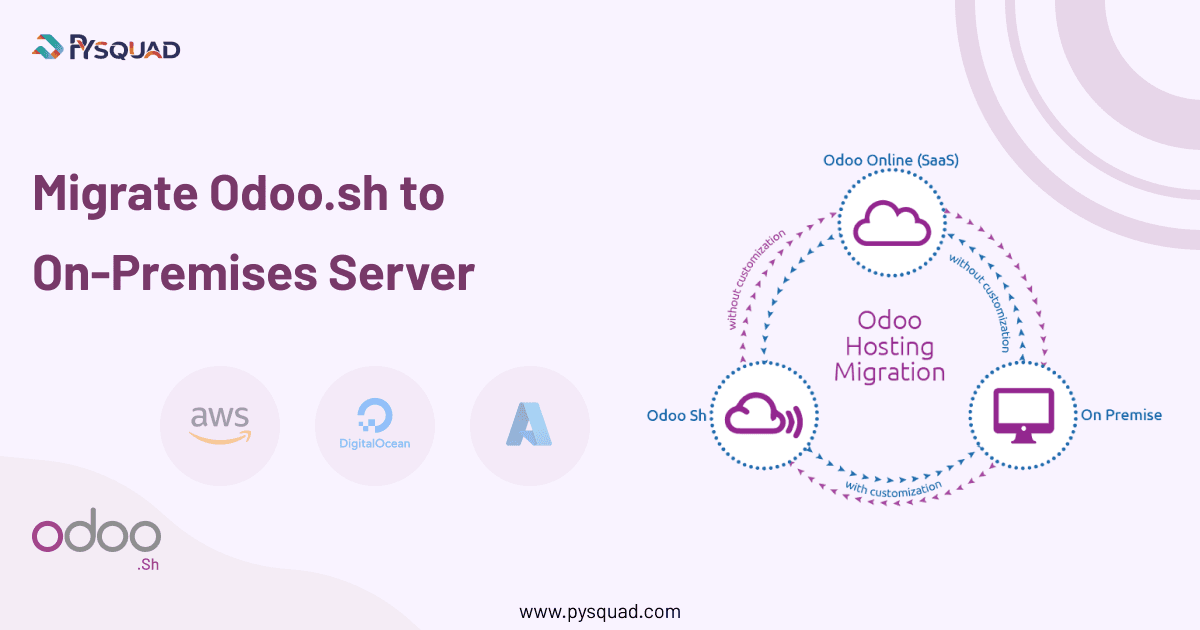
And they deploy Odoo using one of three hosting models:
- Odoo Online (SaaS)
- Odoo.sh (Platform as a Service)
- On-Premises Hosting
If you are currently using Odoo.sh and considering migrating to an On-Premises server for greater control, performance optimization, or long-term cost benefits, this comprehensive guide will walk you through the entire process.
Understanding Odoo Hosting Platforms
Before planning a migration, it is important to understand the differences between each hosting model.
1. Odoo Online (SaaS)
What It Is
Odoo Online is a fully managed SaaS solution hosted directly by Odoo and accessed via odoo.com.
Key Benefits
- No server management required
- Automatic upgrades and backups
- Quick setup and deployment
Limitations
- Limited customization capabilities
- No support for custom modules
- Restricted server-level access
This model works best for businesses that want simplicity and minimal technical involvement.
2. Odoo.sh (Platform as a Service)
What It Is
Odoo.sh is a managed cloud platform that provides more flexibility than SaaS while still being hosted by Odoo.
Key Benefits
- Support for custom and third-party modules
- Built-in Git integration
- Automatic backups
- Continuous minor version updates
Limitations
- Limited server-level control
- Hosting subscription costs
- Less flexibility compared to full infrastructure ownership
Odoo.sh is ideal for companies that need customization but prefer managed infrastructure.
3. On-Premises Hosting
What It Is
On-Premises hosting gives you full control over your Odoo instance. It can be deployed on:
- Local physical servers
- Private cloud infrastructure
- AWS, Azure, DigitalOcean, or other cloud providers
Key Benefits
- Works with both Community and Enterprise editions
- Full server and database control
- Unlimited customization possibilities
- Seamless integration with third-party systems
- Custom security configurations
On-Premises hosting is best suited for businesses that require advanced customization, strict compliance, or long-term cost optimization.
Why Migrate from Odoo.sh to On-Premises?
Businesses typically migrate for the following reasons:
- Greater infrastructure control
- Reduced recurring hosting costs
- Advanced customization requirements
- Performance optimization needs
- Security and compliance policies
- Data residency requirements
If any of these align with your goals, migrating to an On-Premises environment may be the right strategic decision.
Step-by-Step Migration from Odoo.sh to On-Premises
A successful migration requires structured planning, proper testing, and technical precision. Below is a detailed process to help ensure a smooth transition.
Step 1: Evaluate Your Existing Odoo.sh Environment
Start with a complete technical audit.
Checklist:
- List all installed standard modules
- Document all custom modules
- Identify third-party integrations
- Review automated actions and scheduled jobs
- Check database size and storage usage
- Analyze server performance metrics
- Identify bottlenecks and dependencies
This evaluation helps determine the required server specifications and migration complexity.
Step 2: Prepare Your On-Premises Infrastructure
Based on your evaluation, prepare the target environment.
Infrastructure Requirements:
- Linux-based OS (recommended: Ubuntu LTS)
- PostgreSQL database
- Python environment compatible with your Odoo version
- wkhtmltopdf for report generation
- Proper CPU, RAM, and SSD storage allocation
Security Configuration:
- Firewall setup
- SSH key-based access
- Fail2ban and intrusion protection
- SSL certificate installation
- Reverse proxy configuration using Nginx
Proper infrastructure setup is critical for long-term stability and performance.
Step 3: Backup Your Database from Odoo.sh
To begin migration, export your production database.
How to Download Backup:
- Go to your Production Branch in Odoo.sh
- Navigate to the Backups tab
- Generate a fresh backup
- Download the backup file
Ensure that you download the most recent backup to avoid data loss.
Step 4: Install Odoo on Your On-Premises Server
Install the exact same Odoo version running on Odoo.sh.
Installation Methods:
- Official installation script
- Manual setup via source code
- Docker-based deployment
Make sure to:
- Install required dependencies
- Configure PostgreSQL correctly
- Set proper file permissions
Version mismatch is one of the most common migration errors, so ensure exact alignment.
Step 5: Configure the odoo.conf File
Proper configuration ensures optimal performance and stability.
Important Parameters:
- db_host, db_port, db_user
- addons_path including custom modules
- workers configuration
- limit_memory_hard and limit_memory_soft
- log file paths
- proxy_mode for reverse proxy setups
Incorrect configuration can lead to crashes or slow performance, so validate carefully.
Step 6: Restore the Database
Now restore the downloaded backup.
Steps:
- Access the Odoo database manager via /web/database/manager
- Upload the backup file
- Restore the database
- Restart Odoo service
After restoration, install any missing custom modules before accessing the database.
Step 7: Extensive Testing Before Go-Live
Never switch to production without full testing.
Testing Checklist:
- Sales and purchase workflows
- Accounting entries and reports
- Inventory movements
- Manufacturing processes
- User permissions and roles
- Email configuration and automated actions
- Third-party API integrations
Always perform migration first on a staging server. Only after validation should production DNS be updated.
Step 8: Update DNS and SSL
Once testing is successful:
- Update DNS records to point to the new server IP
- Configure SSL certificates
- Verify secure HTTPS access
- Monitor server logs for errors
This ensures a seamless experience for end users.
Key Migration Risks and How to Avoid Them
Data Loss Risk
Always validate record counts and transactional data after restoration.
Version Compatibility Issues
Ensure identical Odoo versions between source and destination.
Missing Custom Modules
Upload all custom and third-party modules before restoring the database.
Performance Misconfiguration
Tune workers and memory limits based on actual usage.
Proactive planning prevents production disruptions.
Advantages of Odoo On-Premises Hosting
1. Complete System Control
You own the infrastructure, database, and application layer.
2. Enhanced Security
- Custom firewall rules
- VPN access
- Internal security policies
- Compliance-friendly architecture
3. Unlimited Customization
- Core-level modifications
- Custom module development
- Deep integrations with ERP, CRM, IoT, or BI systems
4. Performance Optimization
- Dedicated hardware resources
- Advanced PostgreSQL tuning
- Caching strategies
5. Long-Term Cost Efficiency
While initial setup costs are higher, recurring subscription fees can be reduced over time.
6. Community Edition Option
You can switch to Odoo Community to reduce licensing costs if advanced Enterprise features are not required.
Disadvantages of On-Premises Hosting
1. Higher Initial Investment
Hardware, setup, and security configuration require upfront cost.
2. Technical Expertise Required
You must manage:
- Server updates
- Security patches
- Backups
- Monitoring
3. Security Responsibility
You are fully responsible for data protection and compliance.
Proper maintenance and monitoring are essential.
Final Thoughts
Migrating from Odoo.sh to On-Premises hosting gives businesses full control, flexibility, and scalability. However, it requires structured planning, technical expertise, and thorough validation.
When executed correctly, migration can improve performance, reduce long-term costs, and unlock unlimited customization potential.
How PySquad Can Help
At PySquad, we specialize in secure and performance-optimized Odoo migrations.
Our Migration Services Include:
- Zero data loss migration strategy
- Infrastructure planning and setup
- Security-hardened configurations
- Performance optimization
- Custom module compatibility validation
- Post-migration monitoring and support
We migrate Odoo.sh projects to AWS, Azure, DigitalOcean, private cloud, or physical on-premises servers with complete reliability.
If you are planning to move from Odoo.sh to On-Premises hosting, our team can help you design and execute a smooth, risk-free transition.
Contact us today to schedule a migration consultation.